
How to 3D Print Your Own Chuck: Easy Guide!

Quick Summary: Want to make your own custom chuck for bike repairs or other projects? It’s easier than you think with a 3D printer! This guide walks you through designing a chuck using free software, selecting the right materials, printing it successfully, and ensuring it’s strong enough for the job. Get ready to expand your DIY possibilities!
Ever needed a specific tool that just doesn’t exist, or costs a fortune? As a cyclist and DIY enthusiast, I’ve been there countless times. That’s where 3D printing comes in! It opens a world of possibilities, especially when you need a custom part like a chuck. A chuck is a specialized clamp used to hold an object, such as a bike part, securely in place. This guide will show you, step-by-step, how to design and 3D print your own chuck, saving you time and money while perfectly meeting your needs. Let’s dive in and create something awesome!
Why 3D Print Your Own Chuck?

Before we jump into the “how-to,” let’s talk about why you might want to 3D print a chuck in the first place. There are several compelling reasons:
- Customization: Need a chuck for a specific bike component with unusual dimensions? 3D printing lets you create a perfectly fitted tool.
- Cost-Effectiveness: Specialized chucks can be expensive. 3D printing offers a budget-friendly alternative.
- Rapid Prototyping: Quickly test and refine your designs before committing to a final product.
- Material Choice: Select the ideal plastic for your application, balancing strength, flexibility, and temperature resistance.
- Accessibility: 3D printers are becoming increasingly affordable and accessible, putting custom fabrication within reach of more people.
What You’ll Need
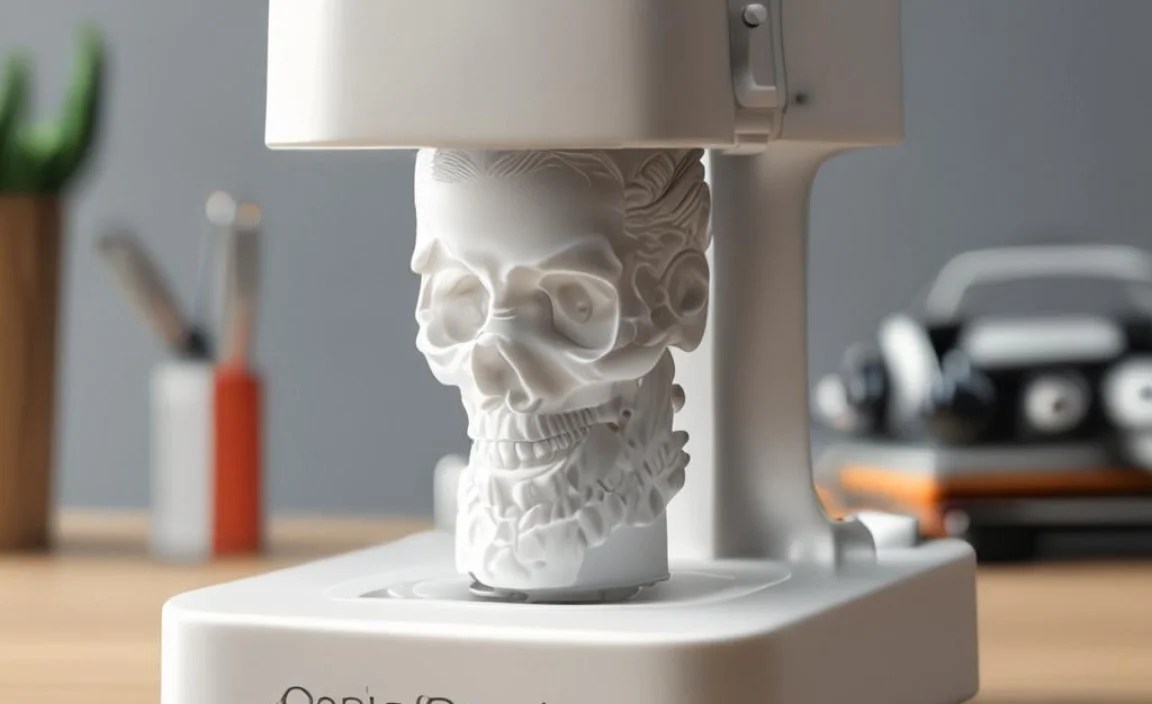
To embark on this 3D printing adventure, gather these essential tools and materials:
- 3D Printer: A reliable 3D printer capable of printing in the materials you choose.
- Filament: PLA, ABS, PETG, or Nylon are common choices. We’ll discuss material selection in detail later.
- Digital Calipers: Essential for accurate measurements of the object you want to hold with the chuck.
- CAD Software: TinkerCAD (free, beginner-friendly), Fusion 360 (free for hobbyists), or similar software for designing your chuck.
- Slicing Software: Cura (free), Simplify3D, or your printer manufacturer’s recommended software to prepare the 3D model for printing.
- Computer: To run the CAD and slicing software.
- Safety Glasses: Protect your eyes from stray plastic fragments during printing and post-processing.
- Deburring Tool or Sandpaper: For cleaning up any rough edges on the printed chuck.
Step-by-Step Guide: 3D Printing Your Chuck

Now, let’s get down to the nitty-gritty of designing and printing your custom chuck.
Step 1: Measuring Your Object
Accurate measurements are the foundation of a successful 3D printed chuck. Use digital calipers to precisely measure the diameter, length, and any other relevant dimensions of the object you want to hold. Record these measurements carefully.
For example, if you’re making a chuck for a specific bike pump part, measure its outer diameter at several points to ensure a snug fit. Note any variations in size.
Step 2: Choosing Your CAD Software
CAD (Computer-Aided Design) software is where you’ll create the 3D model of your chuck. Here are a few options:
- TinkerCAD: A free, web-based program perfect for beginners. Its simple interface and drag-and-drop functionality make it easy to learn.
- Fusion 360: A more powerful, professional-grade CAD software that’s free for hobbyists and startups. It offers advanced features like parametric modeling and simulations.
- SketchUp: Another user-friendly option with a large online community and a wide range of plugins.
For this guide, we’ll focus on TinkerCAD due to its accessibility.
Step 3: Designing Your Chuck in TinkerCAD
- Create a Base: Start by dragging a cylinder shape onto the workplane. Adjust its dimensions to be slightly larger than the object you measured in Step 1. This will form the main body of the chuck.
- Create the Holding Feature: Use another cylinder or other appropriate shape to create the recess or opening that will hold your object. Ensure the inner dimensions of this feature match the measurements you took earlier.
- Boolean Operations: Use TinkerCAD’s “hole” feature and the “group” function to subtract the holding feature from the base. This will create the cavity where your object will sit.
- Add Clamping Mechanism (Optional): If you want a more secure hold, consider adding a clamping mechanism. This could involve creating a split in the chuck and adding a hinge and latch, or designing a threaded section for a screw-in clamp.
- Add Reinforcements: For added strength, consider adding ribs or fillets to the design, especially around stress points.
- Export as STL: Once you’re happy with your design, export it as an STL file. This is the standard file format for 3D printing.
Step 4: Slicing Your Model
Slicing software converts your 3D model into instructions that your printer can understand. Here’s how:
- Import STL File: Open your slicing software (e.g., Cura) and import the STL file you exported from TinkerCAD.
- Adjust Print Settings: Configure the following settings:
- Layer Height: A lower layer height (e.g., 0.1mm) will result in a smoother surface finish but will increase print time.
- Infill Density: The infill density determines how solid the inside of your chuck will be. For a strong chuck, aim for an infill density of 20-50%.
- Print Speed: A slower print speed generally improves print quality.
- Support Structures: If your design has overhangs, the slicing software will automatically generate support structures to prevent the plastic from sagging during printing.
- Bed Adhesion: Use a brim or raft to improve adhesion to the print bed, especially for larger prints.
- Generate G-Code: Once you’re satisfied with the settings, generate the G-code file. This file contains the instructions for your 3D printer.
Step 5: Printing Your Chuck
- Prepare Your Printer: Load the appropriate filament into your printer and ensure the bed is level.
- Load G-Code File: Transfer the G-code file to your printer via SD card or USB cable.
- Start Printing: Initiate the print and monitor the first few layers to ensure proper adhesion.
- Remove Support Structures: Once the print is complete, carefully remove any support structures using pliers or a hobby knife.
- Deburr and Finish: Use a deburring tool or sandpaper to smooth any rough edges or imperfections.
Step 6: Testing and Refining
Now comes the moment of truth! Test your 3D printed chuck with the object it was designed to hold. If it’s too tight, you may need to adjust your design and reprint. If it’s too loose, consider adding shims or modifying the clamping mechanism.
Choosing the Right Material
The material you choose for your 3D printed chuck will significantly impact its strength, durability, and suitability for different applications. Here’s a breakdown of common options:
| Material | Pros | Cons | Best For |
|---|---|---|---|
| PLA (Polylactic Acid) | Easy to print, biodegradable, wide range of colors | Lower strength and heat resistance compared to other materials | Prototyping, light-duty applications |
| ABS (Acrylonitrile Butadiene Styrene) | Strong, durable, heat resistant | More difficult to print, requires a heated bed, emits fumes | Functional parts, tools that need to withstand higher temperatures |
| PETG (Polyethylene Terephthalate Glycol) | Good balance of strength, flexibility, and ease of printing | Slightly more expensive than PLA | Versatile applications, parts that need some flexibility |
| Nylon | Very strong, flexible, wear resistant | Difficult to print, requires high temperatures and a dry environment | High-stress applications, gears, bearings |
For most bike-related applications, PETG offers a good balance of properties. If you need maximum strength and heat resistance, consider ABS or Nylon, but be prepared for a more challenging printing experience.
Tips for a Stronger 3D Printed Chuck
Here are some tips to maximize the strength and durability of your 3D printed chuck:
- Increase Infill Density: A higher infill density makes the part more solid and resistant to stress.
- Use More Walls: Increasing the number of perimeter walls adds strength and stiffness.
- Orient the Print Strategically: Consider the direction of stress on the chuck and orient the print so that the layers are aligned perpendicular to the force.
- Annealing (for PLA): Annealing involves heating the printed part in an oven to increase its crystallinity and strength. Search online for specific annealing instructions for PLA.
- Post-Processing: Applying epoxy or other coatings can improve the surface finish and add strength.
- Design Considerations: Avoid sharp corners and stress concentrators in your design. Use fillets and radii to distribute stress more evenly.
Advanced Techniques
Once you’ve mastered the basics of 3D printing chucks, you can explore more advanced techniques:
- Multi-Material Printing: Use a printer with multiple extruders to print the chuck with different materials in different areas, optimizing for strength, flexibility, or aesthetics.
- Embedded Hardware: Incorporate metal inserts or threaded fasteners into your design to add strength and durability.
- Generative Design: Use generative design software to automatically optimize the shape of your chuck for maximum strength and minimal weight.
Safety Precautions
3D printing involves working with heated materials and moving parts. Always take the following precautions:
- Wear Safety Glasses: Protect your eyes from stray plastic fragments.
- Work in a Well-Ventilated Area: Some filaments, like ABS, emit fumes that can be harmful.
- Keep Children and Pets Away: 3D printers can be dangerous if not handled properly.
- Never Leave the Printer Unattended: Monitor the printing process to ensure there are no problems.
- Unplug the Printer When Not in Use: Prevent accidental activation.
FAQ: 3D Printing Chucks
- What is a chuck used for?
- A chuck is a specialized clamp used to hold an object securely in place, often for machining, repair, or assembly. In cycling, it can hold bike parts.
- What CAD software is best for beginners?
- TinkerCAD is an excellent, free, web-based CAD software perfect for beginners due to its simple interface and drag-and-drop functionality.
- What infill density should I use for a strong chuck?
- Aim for an infill density of 20-50% for a good balance of strength and print time. Higher infill means a stronger, but longer, print.
- Which 3D printing material is best for a durable chuck?
- PETG offers a good balance of strength, flexibility, and ease of printing. ABS and Nylon are stronger but more challenging to print.
- How do I prevent warping during 3D printing?
- Use a heated bed, apply a brim or raft, and ensure the print bed is level. These measures help the first layer adhere properly.
- Can I 3D print threads for a clamping mechanism?
- Yes, you can 3D print threads, but they may not be as strong as metal threads. Consider using threaded inserts for greater durability.
- Where can I find pre-made chuck designs?
- Websites like Thingiverse and MyMiniFactory offer a wide variety of free and paid 3D models, including chuck designs.
Conclusion
3D printing your own chuck opens up a world of possibilities for customization and problem-solving. By following these steps and experimenting with different designs and materials, you can create the perfect tool for your specific needs. Whether you’re repairing a vintage bike pump, modifying your e-bike, or tackling a new DIY project, a custom 3D printed chuck can be a game-changer. So, fire up your 3D printer and start creating!


