
Why Is My Onboard Water Pump Cycling? A Simple Guide

Quick Summary: An onboard water pump cycles (turns on and off repeatedly) because it’s losing pressure. This is usually due to a leak in the plumbing, a faulty check valve, a clogged filter, or a malfunctioning pressure switch. Finding and fixing the source of the pressure loss will stop the cycling and ensure a steady water supply.
Ever been jolted awake by the sudden whirring of your RV’s water pump in the middle of the night? It’s cycling – turning on and off even when you’re not using any water. This isn’t just annoying; it can wear out your pump and drain your battery. Don’t worry, you’re not alone! Many RVers experience this. The good news is, you can usually diagnose and fix the problem yourself with a few simple steps.
In this guide, we’ll walk you through the common reasons why your onboard water pump is cycling and give you easy-to-follow instructions to troubleshoot and solve the issue. We’ll cover everything from checking for leaks to adjusting the pressure switch. Let’s get started and get that pump running smoothly!
Understanding Water Pump Cycling

Before diving into troubleshooting, let’s understand why a water pump cycles. Onboard water pumps in RVs and boats are designed to maintain pressure in the water lines. When you open a faucet, the pressure drops, and the pump turns on to restore it. Once the pressure reaches a set point, the pump shuts off. Cycling happens when the pump repeatedly turns on and off because it’s losing pressure even when no water is being used.
Here’s a breakdown of the typical water pump operation:
- No Water Usage: The system is pressurized, and the pump is off.
- Faucet Opens: Pressure drops as water flows.
- Pump Activates: The pump turns on to replenish the lost pressure.
- Faucet Closes: Pressure builds back up to the setpoint.
- Pump Deactivates: The pump shuts off, holding the pressure until the next use.
Cycling indicates a problem in this process, usually a pressure leak or a faulty component.
Common Causes of Water Pump Cycling

Several factors can cause your water pump to cycle. Here are the most common culprits:
- Leaks in the Plumbing: The most frequent cause. Even small leaks can lead to a pressure drop.
- Faulty Check Valve: A check valve prevents water from flowing back into the freshwater tank. If it fails, the pump loses pressure.
- Clogged Filter: A clogged filter restricts water flow, causing the pump to work harder and cycle more frequently.
- Malfunctioning Pressure Switch: The pressure switch tells the pump when to turn on and off. If it’s faulty, it can cause erratic cycling.
- Air in the Water Lines: Air can compress and decompress, leading to pressure fluctuations and pump cycling.
- Low Voltage: Insufficient power to the pump can cause it to cycle improperly.
- Cracked Pump Housing: A crack in the pump housing can leak water and reduce pressure.
Troubleshooting Steps: Finding the Source of the Cycling

Now, let’s get to the troubleshooting. Follow these steps to identify the cause of your water pump cycling:
Step 1: Check for Obvious Leaks
Start with a visual inspection. Walk through your RV or boat and look for any signs of water leaks. Pay close attention to these areas:
- Under Sinks: Check the supply lines and drain connections.
- Around Toilets: Look for leaks around the base and the water supply line.
- Shower/Tub: Inspect the faucet, showerhead, and drain.
- Water Heater: Check the connections and the pressure relief valve.
- Water Pump Area: Look for leaks around the pump itself and its connections.
- Any exposed plumbing lines: Follow the lines and inspect for any dampness or drips.
If you find a leak, tighten the connections or replace any damaged parts. Even a small drip can cause pressure loss and cycling.
Step 2: Inspect the Faucets and Showerhead
Sometimes, a dripping faucet or showerhead is the culprit. Even a slow drip can cause the pump to cycle. Make sure all faucets are completely turned off and that the showerhead isn’t leaking. Replace any worn washers or O-rings to ensure a tight seal.
Step 3: Examine the Check Valve
The check valve is usually located at the pump’s inlet. Its purpose is to prevent water from flowing back into the freshwater tank when the pump is off. If the check valve is faulty, water can leak back into the tank, causing the pump to lose pressure and cycle.
To check the check valve:
- Locate the Check Valve: It’s usually near the pump’s inlet, often integrated into the pump head.
- Inspect for Debris: Sometimes, debris can get stuck in the valve, preventing it from sealing properly. Clean the valve thoroughly.
- Test the Valve: Disconnect the inlet side of the pump and try to blow air through the check valve towards the tank. If air passes through easily, the valve is likely faulty and needs to be replaced.
Step 4: Clean the Water Filter
A clogged water filter restricts water flow to the pump, making it work harder and potentially causing it to cycle. Locate the water filter (usually between the freshwater tank and the pump) and remove it.
To clean the filter:
- Remove the Filter: Unscrew the filter housing and remove the filter cartridge.
- Rinse the Filter: Rinse the filter cartridge thoroughly with clean water. You can use a soft brush to remove any stubborn debris.
- Reinstall the Filter: Place the cleaned filter cartridge back into the housing and screw it back onto the pump.
If the filter is heavily clogged or damaged, replace it with a new one. Regularly cleaning or replacing your water filter is a good maintenance practice.
Step 5: Check for Air in the Water Lines
Air in the water lines can cause pressure fluctuations, leading to pump cycling. To remove air from the lines:
- Turn on All Faucets: Open all the faucets in your RV or boat, both hot and cold.
- Run the Pump: Let the pump run until a steady stream of water flows from each faucet without any air bubbles.
- Check the Showerhead: Don’t forget to run the shower to clear any air from that line.
- Close Faucets: Once all the air is purged, close each faucet one by one.
This process should help eliminate air from the system and stabilize the water pressure.
Step 6: Adjust the Pressure Switch (If Applicable)
Some water pumps have an adjustable pressure switch. If the switch is set too low, the pump might cycle frequently. Refer to your pump’s manual for instructions on how to adjust the pressure switch. Typically, you’ll find an adjustment screw on the switch.
Caution: Make small adjustments and test the pump after each adjustment. Over-adjusting the pressure switch can damage the pump.
Here’s a general guideline for adjusting the pressure switch:
- Locate the Pressure Switch: Find the pressure switch on the pump.
- Adjust the Screw: Use a screwdriver to turn the adjustment screw. Turning it clockwise usually increases the pressure, while turning it counterclockwise decreases it.
- Test the Pump: After each adjustment, turn on a faucet and observe the pump’s behavior. Does it cycle less frequently? Is the water pressure adequate?
- Fine-Tune: Continue making small adjustments until the pump cycles normally and the water pressure is satisfactory.
Step 7: Check the Voltage to the Pump
Low voltage can cause the pump to cycle erratically. Use a multimeter to check the voltage at the pump while it’s running. The voltage should be within the range specified in the pump’s manual (usually around 12-13.5 volts for a 12V pump).
If the voltage is low:
- Check the Battery: Ensure your battery is fully charged and in good condition.
- Inspect Wiring: Look for any loose connections, corroded terminals, or damaged wires in the pump’s wiring circuit.
- Check the Fuse/Circuit Breaker: Make sure the fuse or circuit breaker for the pump is not blown or tripped.
Step 8: Inspect the Pump Housing
A crack in the pump housing can cause water to leak, leading to pressure loss and cycling. Carefully inspect the pump housing for any cracks or damage. If you find a crack, the pump will need to be replaced.
Step 9: Professional Inspection
If you’ve tried all the above steps and your water pump is still cycling, it might be time to call in a professional. A qualified RV or marine technician can diagnose more complex issues and perform repairs that you might not be comfortable doing yourself.
Preventive Maintenance Tips to Avoid Cycling

Preventing water pump cycling is easier than fixing it. Here are some preventive maintenance tips:
- Regularly Inspect for Leaks: Make it a habit to check for leaks around your plumbing fixtures and connections.
- Clean or Replace the Water Filter: Clean the water filter every few months, or replace it annually.
- Winterize Properly: When storing your RV or boat for the winter, make sure to properly winterize the water system to prevent freezing and damage. Follow instructions from trusted sources like the EPA EPA.
- Use a Water Pressure Regulator: When connecting to city water, use a water pressure regulator to prevent excessive pressure from damaging your plumbing system.
- Inspect and Maintain the Pump: Periodically inspect the pump for any signs of wear or damage. Follow the manufacturer’s recommendations for maintenance.
When to Replace Your Water Pump
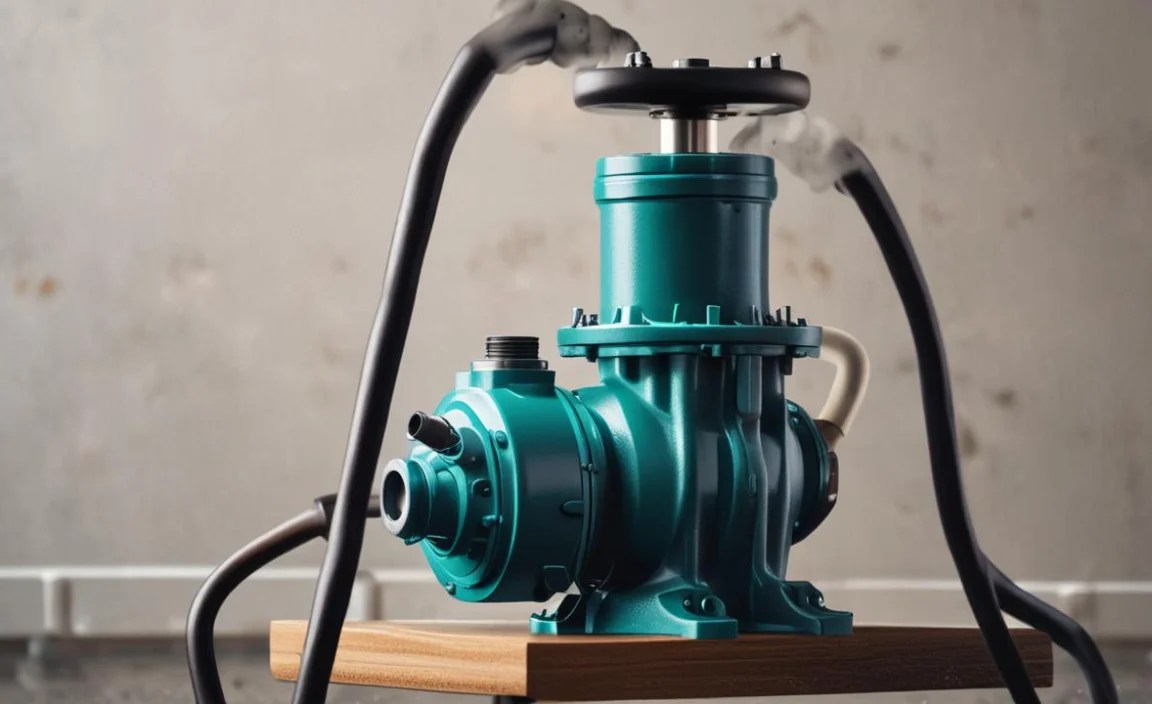
Sometimes, despite your best efforts, a water pump simply reaches the end of its lifespan. Here are some signs that it might be time to replace your water pump:
- Constant Cycling: If the pump continues to cycle frequently even after troubleshooting, it might be worn out.
- Reduced Water Pressure: If the pump is no longer producing adequate water pressure, it might be failing.
- Excessive Noise: If the pump is making loud or unusual noises, it could indicate internal damage.
- Leaks from the Pump Housing: If the pump housing is cracked or leaking, it needs to be replaced.
- Age: If your pump is several years old and has seen heavy use, it might be time to replace it as a preventive measure.
Water Pump Cycling Troubleshooting Table
Here’s a quick reference table to help you diagnose the issue:
| Symptom | Possible Cause | Troubleshooting Step |
|---|---|---|
| Pump cycles frequently | Leaks in plumbing | Inspect all plumbing connections and fixtures for leaks. |
| Pump cycles frequently | Faulty check valve | Inspect and test the check valve for proper function. |
| Pump cycles frequently | Clogged water filter | Clean or replace the water filter. |
| Pump cycles frequently | Air in water lines | Bleed the air from the water lines by running all faucets. |
| Pump cycles frequently | Malfunctioning pressure switch | Adjust the pressure switch (if applicable) or replace it. |
| Pump cycles frequently | Low voltage to pump | Check battery voltage, wiring, and fuses. |
| Pump cycles frequently | Cracked pump housing | Inspect the pump housing for cracks and replace the pump if necessary. |
| Pump runs but no water flows | Clogged filter | Clean or replace the filter. |
| Pump runs but no water flows | Air lock | Check and clear any air locks in the system. |
| Pump is very noisy | Worn pump components | Consider replacing the pump. |
Essential Tools for Troubleshooting
Having the right tools on hand can make troubleshooting and repairing your water pump much easier. Here’s a list of essential tools:
- Screwdrivers: A set of Phillips and flathead screwdrivers.
- Wrenches: An adjustable wrench and a set of open-end wrenches.
- Pliers: Regular pliers and needle-nose pliers.
- Multimeter: To check voltage and continuity.
- Plumber’s Tape: To seal threaded connections.
- Towel or Rags: To clean up spills.
- Flashlight or Headlamp: To see in dark spaces.
- Water Filter Wrench: To remove the filter housing.
FAQ: Troubleshooting Water Pump Cycling
Here are some frequently asked questions about water pump cycling:
- Why does my RV water pump keep turning on and off by itself?
- This is called cycling and usually means there’s a pressure loss in your water system, often due to a leak, a faulty check valve, or air in the lines.
- How can I tell if my RV water pump has a leak?
- Look for water around plumbing connections, under sinks, around the toilet, and near the pump itself. Also, check for damp spots or drips.
- What is a check valve, and how does it affect my water pump?
- A check valve prevents water from flowing back into the freshwater tank. If it fails, water can leak back, causing the pump to lose pressure and cycle.
- How often should I clean or replace my RV water filter?
- Clean your water filter every few months and replace it at least once a year, or more often if you’re in an area with poor water quality.
- Can low voltage cause my water pump to cycle?
- Yes, low voltage can cause the pump to cycle erratically. Check your battery voltage and wiring connections.
- Is it okay to run my RV water pump continuously?
- While modern pumps have thermal protection, running it continuously can wear it out faster. Fix the cycling issue to prolong its life.
- When should I consider replacing my RV water pump instead of repairing it?
- If the pump is old, constantly cycling even after troubleshooting, making excessive noise, or has a cracked housing, it’s likely time for a replacement.
Conclusion
Dealing with a cycling water pump can be frustrating, but with a systematic approach, you can usually identify and fix the problem yourself. Start by checking for leaks and air in the lines, then inspect the check valve and filter. If necessary, adjust the pressure switch or check the voltage. Regular maintenance and prompt attention to any issues will keep your water pump running smoothly and ensure a reliable water supply in your RV or boat. Happy travels, and may your water always flow freely!
“`


