
What is Cycle on a Spectra Pump? A Beginner’s Guide

Quick Summary: Cycle on a Spectra breast pump refers to the speed at which the pump suctions. It’s measured in cycles per minute (CPM). Adjusting the cycle can help you find the most comfortable and effective setting to express milk efficiently. Higher cycles are generally for stimulation, while lower cycles are for expression.
Are you new to using a Spectra breast pump and feeling a bit overwhelmed by all the settings? You’re not alone! Understanding the different modes and settings, like “cycle,” can feel like learning a new language. Many moms find the cycle setting confusing, but it’s actually quite simple once you understand what it does. Think of it as the rhythm of your pump – too fast, and it might be uncomfortable; too slow, and it might not be as effective. In this guide, I’ll walk you through what the cycle setting means on your Spectra pump and how to adjust it to find your perfect pumping groove. Let’s get started and make your pumping experience smoother and more comfortable!
Understanding the Cycle Setting
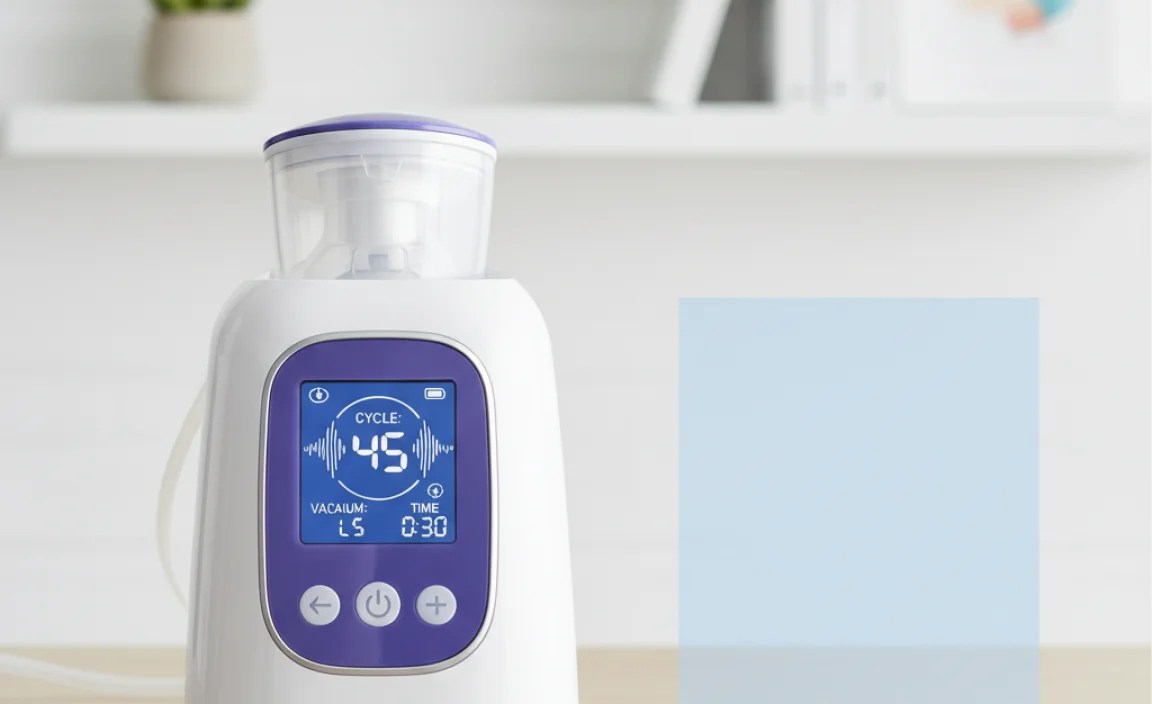
The cycle setting on your Spectra breast pump controls the number of suction cycles per minute (CPM). Each cycle consists of a suction phase and a release phase. Think of it like this: the pump pulls (suction) and then releases. The cycle setting determines how many times this happens in one minute.
Why is the Cycle Setting Important?
Adjusting the cycle setting allows you to customize your pumping experience to mimic your baby’s natural nursing patterns. Different babies have different sucking speeds, and as your baby grows, their sucking patterns may change. By adjusting the cycle, you can find a setting that feels comfortable and effectively stimulates milk flow.
Cycle vs. Vacuum (Suction)
It’s important to distinguish between cycle and vacuum (suction) settings. Cycle refers to the speed (CPM), while vacuum refers to the strength of the suction. Both are crucial for effective pumping, but they control different aspects of the pumping process. Vacuum is measured in mmHg (millimeters of mercury), indicating the amount of suction pressure.
How to Adjust the Cycle Setting on Your Spectra Pump

Spectra pumps typically have two main modes: massage mode and expression mode. Each mode has adjustable cycle and vacuum settings.
Step-by-Step Guide
- Turn on your Spectra pump: Press the power button to turn on your pump.
- Select your desired mode:
- Massage Mode (Let-Down Mode): This mode is designed to stimulate milk flow. It usually has a faster cycle speed and lower vacuum strength. Look for a button with a wavy line or droplet symbol.
- Expression Mode: This mode is for expressing milk after your milk has let down. It typically has a slower cycle speed and adjustable vacuum strength. Look for a button with a pumping symbol.
- Adjust the Cycle: Use the cycle adjustment buttons (usually “+” and “-” symbols) to increase or decrease the cycle speed. The cycle speed is displayed on the pump’s screen as a number (e.g., 70, 54, 38).
- Adjust the Vacuum: After setting the cycle, adjust the vacuum strength to a comfortable level using the vacuum adjustment buttons. The vacuum level is also displayed on the screen.
- Observe Your Body: Pay attention to how your body responds. If you feel discomfort, reduce the vacuum strength or adjust the cycle speed.
Finding the Right Cycle Speed
Finding the right cycle speed is a process of trial and error. Here are some general guidelines:
- Massage Mode: Start with the highest cycle speed and gradually decrease it until you find a comfortable and effective setting to stimulate let-down.
- Expression Mode: Start with a moderate cycle speed and adjust it based on your milk flow and comfort level. Some moms prefer a slower cycle speed for a more gentle pumping experience.
Spectra Pump Modes and Settings

Here’s a table summarizing the typical modes and settings on a Spectra pump:
| Mode | Purpose | Typical Cycle Range (CPM) | Typical Vacuum Range (mmHg) |
|---|---|---|---|
| Massage Mode (Let-Down Mode) | Stimulate milk flow | 70-38 | Adjustable, typically lower than Expression Mode |
| Expression Mode | Express milk | 54-38 | Adjustable to comfort and milk flow |
Troubleshooting Cycle Settings
Sometimes, you might encounter issues with your cycle settings. Here are some common problems and solutions:
- Problem: Discomfort or pain while pumping.
- Solution: Reduce the vacuum strength and/or increase the cycle speed. Make sure your breast shield size is correct.
- Problem: Low milk output.
- Solution: Try increasing the vacuum strength or decreasing the cycle speed. Ensure you are well-hydrated and have a proper latch if directly breastfeeding.
- Problem: Pump not cycling properly.
- Solution: Check the pump tubing for any kinks or blockages. Ensure all connections are secure. Refer to the pump’s manual for troubleshooting tips.
Tips for Comfortable and Effective Pumping

Here are some additional tips to help you have a comfortable and effective pumping experience:
- Find the Right Flange Size: Using the correct flange size is crucial for comfort and milk output. A flange that is too small or too large can cause pain and reduce milk flow. Many resources are available online to help you measure and determine your correct flange size.
- Start with Massage Mode: Always start with massage mode to stimulate let-down before switching to expression mode.
- Stay Hydrated: Drink plenty of water to support milk production.
- Relax: Find a comfortable and relaxing environment to pump. Stress can inhibit milk flow.
- Hand Expression: Combine pumping with hand expression to maximize milk output.
- Proper Pump Maintenance: Regularly clean and sanitize your pump parts according to the manufacturer’s instructions to maintain hygiene and pump performance.
Advanced Pumping Techniques
Once you’re comfortable with the basics, you can explore more advanced pumping techniques:
Power Pumping
Power pumping is a technique used to increase milk supply. It involves mimicking cluster feeding by pumping frequently over a short period. Here’s a sample power pumping schedule:
- Pump for 20 minutes.
- Rest for 10 minutes.
- Pump for 10 minutes.
- Rest for 10 minutes.
- Pump for 10 minutes.
Repeat this cycle once or twice a day for a few days to help boost your milk supply. [Mayo Clinic – Breastfeeding](https://www.mayoclinic.org/healthy-lifestyle/infant-and-toddler-health/in-depth/breastfeeding/art-20046677)
Hands-On Pumping
Hands-on pumping involves using your hands to massage and compress your breasts while pumping. This can help to stimulate milk flow and empty the breasts more completely. Some studies suggest hands-on pumping can increase milk yield. [Stanford Medicine – Maximizing Milk Production](https://med.stanford.edu/newborns/professional-education/breastfeeding/maximizing-milk-production.html)
Spectra Pump Models and Cycle Settings
While the basic principles of cycle settings remain the same across Spectra pump models, there might be slight variations in the range and display. Here’s a comparison of some popular Spectra pump models:
| Pump Model | Massage Mode Cycle Range (CPM) | Expression Mode Cycle Range (CPM) | Special Features |
|---|---|---|---|
| Spectra S1 | 70-38 | 54-38 | Rechargeable battery, night light |
| Spectra S2 | 70-38 | 54-38 | Night light |
| Spectra 9 Plus | 70-38 | 54-38 | Compact and portable, rechargeable battery |
| Spectra Synergy Gold | Variable, up to 70 | Variable, down to 30 | Independent vacuum and cycle control for each breast |
Common Mistakes to Avoid
Here are some common mistakes to avoid when using the cycle setting on your Spectra pump:
- Ignoring Discomfort: Don’t ignore pain or discomfort. Adjust the settings until you find a comfortable level.
- Using the Same Settings Every Time: Your body’s needs may change over time. Adjust the settings as needed.
- Not Experimenting: Don’t be afraid to experiment with different cycle and vacuum combinations to find what works best for you.
- Neglecting Pump Maintenance: Proper pump maintenance is crucial for optimal performance and hygiene.
FAQ: Understanding Cycle on Spectra Pump
Here are some frequently asked questions about the cycle setting on Spectra pumps:
What does “cycle” mean on a breast pump?
Cycle refers to the number of suction and release motions the pump makes per minute. It’s measured in cycles per minute (CPM) and affects the speed of the pumping action.
What is the best cycle setting for let-down?
The massage mode, with a higher cycle speed (around 70 CPM), is generally best for stimulating let-down. Start high and adjust down for comfort.
What is the best cycle setting for milk expression?
The ideal cycle setting for expression varies, but a lower cycle speed (around 54-38 CPM) is often preferred. Experiment to find what empties your breasts most effectively and comfortably.
How do I know if my cycle setting is too high?
If you experience pain or discomfort, the cycle setting may be too high. Reduce the cycle speed until you find a comfortable level.
Can I change the cycle setting during pumping?
Yes, you can adjust the cycle setting at any time during pumping to optimize your comfort and milk flow.
Does the cycle setting affect milk output?
Yes, the cycle setting can affect milk output. Finding the right cycle speed for your body can help you express more milk efficiently.
Where can I find more information about Spectra pump settings?
Consult your Spectra pump’s user manual for detailed information about the settings and features of your specific model. You can also find helpful resources and support online from lactation consultants and other pumping moms.
Conclusion
Understanding the cycle setting on your Spectra pump is key to a comfortable and efficient pumping experience. By experimenting with different cycle speeds and vacuum strengths, you can find the perfect combination that works for your body and helps you provide the best nutrition for your baby. Don’t be afraid to adjust the settings as needed, and remember to prioritize your comfort and well-being. Happy pumping!
“`


